
Application: Alarm Clock
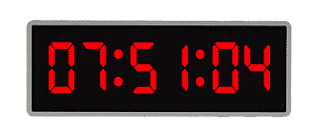
More clocks! This lesson shows how to use a structure to gather the three components hour, minutes, and seconds of the time of day of a clock into a single variable.
Type Definition
Consider a digital clock that shows the hours, minutes, and seconds of the time of day. We might want to store this information in one place, and doing so in a structure like the following would be a very suitable idea:
@dataclasses.dataclass
class Time:
    h = 0      # hour  (0..23)
    m = 0      # minute (0..59)
    s = 0      # second (0..59)
That is, the time of day has three fields: h, m, and s which represent, respectively, its hours, minutes, and seconds. Each field is an integer, and the comments emphasize the legal values each can have. Also, we have given a default value to each field.
Note that we could also have defined a Time as a list with three integers, or as a tuple of three fields, but doing it with a structure makes it much safer and more explicit, since there will never be errors with positions nor doubts about which value is at each position.
Constructing Values
Once the Time type is defined, you can construct values of it:
noon = Time(12, 0, 0)
midnight = Time(0, 0, 0)
Often, class values are called instances. In this case, noon is an instance of Time.
In the constructor, you can pass actual parameters specifying which formal parameter they refer to. In this case, you can also change their order:
alarm = Time(s=0, m=30, h=7) # 07:30:00Also, you don't need to give values for fields that already have defaults:
alarm = Time(m=30, h=7)    # 07:30:00
alarm = Time(7, 30)        # 07:30:00
Operations
A first operation that might be useful is to write a given time. For this, we will write an action that, given a Time, prints it in standard format, with two digits per field using formatted text:
def print_time(time):
    print(f'{time.h:02d}:{time.m:02d}:{time.s:02d}')
Next, we could have an operation that, given a time, adds one second to it. There are two ways to do this: with an action that modifies a parameter or with a function that, given a time, returns a new one. Both are valid options and the preference depends on the context.
Let's start with the action that modifies the parameter:
def increment_one_second(time):
    time.s += 1
    if time.s == 60:
        time.s = 0
        time.m += 1
        if time.m == 60:
            time.m = 0
            time.h += 1
            if time.h == 24:
                time.h = 0
Now, let's do it with a function:
def one_second_later(time):
    later = dataclasses.replace(time)
    later.s += 1
    if later.s == 60:
        later.s = 0
        later.m += 1
        if later.m == 60:
            later.m = 0
            later.h += 1
            if later.h == 24:
                later.h = 0
    return later
This time, we need to copy the time first into a new variable. The way to do this is with dataclasses.replace. Now that we have a copy of the actual parameter that we can freely modify without changing the original, we work with it and return it at the end.
Main Program
Finally, let's make a complete program that simulates an alarm clock, printing the corresponding time every second and alerting at the alarm time. To do this, we will use the previous subprograms and the sleep() function available in the standard time module, which suspends the program execution for as many seconds as passed as a parameter.
import time
import dataclasses

@dataclasses.dataclass
class Time:
    h = 0       # hour  (0..23)
    m = 0       # minute (0..59)
    s = 0       # second (0..59)

def print_time(time):
    print(f'{time.h:02d}:{time.m:02d}:{time.s:02d}')

def increment_one_second(time):
    time.s += 1
    if time.s == 60:
        time.s = 0
        time.m += 1
        if time.m == 60:
            time.m = 0
            time.h += 1
            if time.h == 24:
                time.h = 0

def main():
    time_now = Time(23, 59, 55)
    alarm = Time(7, 30)
    while True:
        print_time(time_now)
        if time_now == alarm:
            print('ring ring!')
        time.sleep(1)               # wait one second
        increment_one_second(time_now)

if __name__ == '__main__':
    main()
The order of functions is not relevant in Python, but the Time type must be declared before the functions that use it.
The while True loop is an infinite loop: the program will never end. Usually, we don't want programs that never end, but in this case... I wouldn't want my clock to stop! Press control+c to stop its execution.
Comparing two instances with == consists of checking if all their fields are equal. You can also use !=, but <, >, >=, and <= (by default) do not work.